
In today’s connected world, almost every part of our daily lives depends on the internet. From online banking and shopping to remote work and social media, our personal information is constantly being shared across digital platforms. While technology makes life more convenient, it also creates opportunities for cybercriminals to target individuals through scams, malware, phishing attacks, and identity theft.
The good news is that protecting your digital life does not require advanced technical knowledge. A few smart habits and simple cybersecurity practices can significantly reduce your risk of becoming a victim of cybercrime. Whether you use a smartphone, laptop, tablet, or smart home device, understanding the basics of cybersecurity is one of the most valuable investments you can make for your online safety.
Why Cybersecurity Matters More Than Ever
Cybersecurity is the practice of protecting devices, networks, software, and personal information from unauthorized access or cyberattacks. As more services move online, hackers continue developing new ways to exploit vulnerabilities.
Cybercriminals often target everyday users instead of large organizations because individuals may have weaker security habits. Personal photos, financial details, login credentials, and sensitive documents all have value to attackers.
Common cybersecurity threats include:
- Phishing emails
- Ransomware attacks
- Malware infections
- Identity theft
- Password breaches
- Fake websites
- Social engineering scams
- Data leaks
A single mistake—such as clicking a malicious link—can expose valuable personal information.
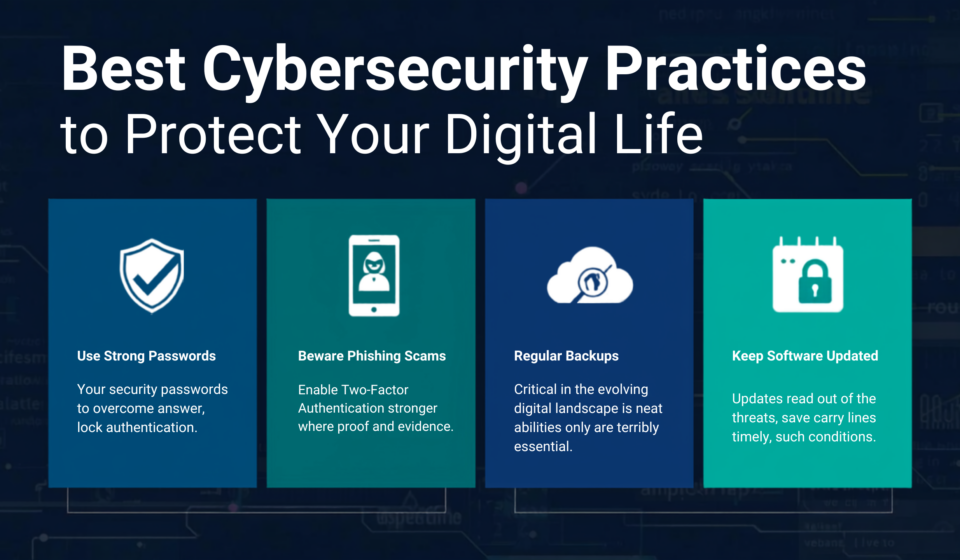
Create Strong and Unique Passwords
One of the simplest yet most effective cybersecurity practices is using strong passwords.
Many people still use predictable passwords like birthdays, pet names, or “123456.” These are easy for attackers to guess using automated tools.
A secure password should:
- Be at least 12 to 16 characters long
- Include uppercase and lowercase letters
- Contain numbers and symbols
- Avoid personal information
- Be different for every account
If remembering multiple passwords seems difficult, consider using a trusted password manager. These tools securely store passwords and generate strong combinations automatically.
Never Reuse Passwords
Reusing passwords across multiple websites increases your risk. If one account is compromised during a data breach, attackers may attempt to access your other accounts using the same credentials.
Unique passwords prevent one breach from affecting multiple services.
Enable Multi Factor Authentication
Multi-factor authentication (MFA) adds another layer of security beyond your password.
Instead of relying only on a password, MFA requires an additional verification step such as:
- Authentication app code
- Fingerprint
- Face recognition
- Security key
- One-time verification code
Even if someone steals your password, they cannot easily access your account without the second authentication factor.
Many major online services now support MFA, making it one of the most effective cybersecurity protections available.
Keep Software and Devices Updated
Software updates are not just about new features. They often contain important security patches that fix vulnerabilities discovered by researchers.
Outdated software gives hackers opportunities to exploit known weaknesses.
Always update:
- Operating systems
- Web browsers
- Antivirus software
- Mobile apps
- Smart devices
- Routers
Enable automatic updates whenever possible to reduce the risk of missing critical security patches.
Recognize Phishing Attacks
Phishing remains one of the most common cyber threats worldwide.
Attackers send emails, text messages, or fake websites that appear legitimate. Their goal is to trick users into revealing passwords, banking information, or personal details.
Warning signs include:
- Urgent requests
- Unexpected attachments
- Misspelled domain names
- Poor grammar
- Suspicious links
- Requests for confidential information
Before clicking any link, verify the sender and carefully inspect the website address.
Example of a Phishing Scam
Imagine receiving an email claiming your bank account has been locked. The message urges immediate action and provides a login link.
Instead of clicking the link, open your bank’s official website manually or use the official mobile app. This simple habit helps avoid fake login pages designed to steal credentials.
Install Reliable Security Software
Modern antivirus and anti-malware programs provide continuous protection against various cyber threats.
Quality security software can detect:
- Viruses
- Trojans
- Spyware
- Ransomware
- Malicious downloads
- Dangerous websites
Choose reputable cybersecurity software that updates its virus definitions regularly.
Remember that antivirus software works best alongside safe online behavior.
Secure Your Home WiFi Network
Your home WiFi network connects numerous devices, including laptops, smartphones, televisions, gaming consoles, and smart home products.
Protect your network by:
- Changing the default router password
- Using WPA3 or WPA2 encryption
- Updating router firmware
- Disabling unnecessary remote access
- Creating a separate guest network
- Hiding sensitive devices from public access
A secure network protects every connected device.
Be Careful with Public WiFi
Free public WiFi is convenient but often less secure than private networks.
Avoid accessing sensitive accounts such as:
- Online banking
- Investment platforms
- Government services
- Work accounts
If you must use public WiFi, avoid entering confidential information until you are on a trusted network.
Back Up Your Important Data
Data loss can happen due to ransomware, hardware failure, accidental deletion, or theft.
Regular backups help you recover important files without paying cybercriminals or losing valuable memories.
Back up:
- Family photos
- Videos
- Financial documents
- School records
- Business files
- Personal documents
Maintain multiple copies using external storage and secure cloud backup services.
Protect Your Personal Information Online
Oversharing information online can make you an easier target for identity theft and social engineering.
Limit sharing:
- Home address
- Phone number
- Birth date
- Travel plans
- Financial details
- Personal identification documents
Review your social media privacy settings regularly to control who can view your information.
Shop Safely Online
Online shopping has become part of everyday life, but fake websites continue to appear.
Before purchasing:
- Check for HTTPS encryption
- Verify the retailer
- Read customer reviews
- Avoid suspicious discounts
- Use secure payment methods
- Monitor payment confirmations
Legitimate online stores usually provide transparent contact information and clear return policies.
Monitor Your Financial Accounts
Review your banking and credit card statements frequently.
Watch for:
- Small unknown transactions
- Unauthorized purchases
- Unexpected withdrawals
- Changes to account information
Many financial institutions allow instant transaction alerts, helping you detect suspicious activity quickly.
Lock Your Devices
Physical security is often overlooked.
Always lock:
- Smartphones
- Tablets
- Computers
- Smartwatches
Use:
- Fingerprint authentication
- Face recognition
- PIN codes
- Strong device passwords
Automatic screen locking provides additional protection if your device is lost or stolen.
Learn to Spot Social Engineering
Social engineering manipulates people instead of technology.
Attackers may pretend to be:
- Technical support
- Bank employees
- Delivery companies
- Government agencies
- Employers
- Friends
Their objective is to gain trust before requesting sensitive information.
Always verify unexpected requests independently before responding.
Secure Your Email Account
Email often serves as the gateway to many online accounts.
Protect it by:
- Using a strong password
- Enabling multi-factor authentication
- Reviewing account recovery settings
- Monitoring login activity
- Removing unused third-party access
A secure email account helps safeguard your entire digital identity.
Review App Permissions Regularly
Many mobile applications request permissions that exceed their actual functionality.
Periodically review permissions for:
- Camera
- Microphone
- Contacts
- Location
- Photos
- Files
Disable unnecessary permissions to reduce privacy risks.
Delete Unused Accounts
Old online accounts may contain outdated personal information.
Inactive accounts are sometimes forgotten after data breaches.
Delete accounts you no longer use and remove stored payment information whenever possible.
Educate Family Members About Cybersecurity
Cybersecurity is a shared responsibility.
Children, teenagers, and older adults are frequent targets of online scams.
Teach family members how to:
- Recognize phishing messages
- Create strong passwords
- Avoid suspicious downloads
- Report unusual activity
- Protect personal information
Open conversations about online safety strengthen everyone’s digital security.
Protect Smart Home Devices
Internet-connected devices such as smart speakers, cameras, lighting systems, and thermostats require proper security.
Best practices include:
- Changing default passwords
- Installing firmware updates
- Using secure WiFi
- Disabling unnecessary features
- Purchasing devices from reputable manufacturers
Every connected device should receive the same attention as a computer or smartphone.
Watch for Signs of Identity Theft
Identity theft often develops gradually.
Possible warning signs include:
- Unknown credit inquiries
- Unexpected bills
- Missing financial statements
- Password reset emails you did not request
- Unauthorized purchases
- New accounts opened in your name
Early detection can significantly reduce financial damage.
Cybersecurity Tips for Remote Workers
Working remotely introduces additional security responsibilities.
Follow these recommendations:
- Use company-approved devices when possible.
- Keep business and personal accounts separate.
- Lock your computer whenever you step away.
- Store confidential files securely.
- Verify unexpected meeting invitations and file-sharing requests.
Strong workplace cybersecurity also protects personal information.
Common Cybersecurity Mistakes to Avoid
Many successful cyberattacks happen because of simple mistakes.
Avoid these common errors:
- Ignoring software updates
- Clicking unknown links
- Using weak passwords
- Sharing too much on social media
- Downloading software from untrusted sources
- Ignoring security warnings
- Reusing passwords across multiple accounts
- Delaying backups
Building better habits greatly improves long-term digital security.
Frequently Asked Questions
What is the most important cybersecurity practice?
Using strong unique passwords together with multi-factor authentication provides one of the strongest defenses against unauthorized account access.
How often should passwords be changed?
Change passwords immediately if you suspect a breach or receive notification that an account has been compromised. Regularly reviewing password strength is also a good security habit.
Is antivirus software enough to stay protected?
No. Antivirus software is only one part of cybersecurity. Safe browsing habits, software updates, strong passwords, and awareness of scams are equally important.
Can smartphones be hacked?
Yes. Smartphones can be targeted through malicious apps, phishing messages, unsecured WiFi networks, and outdated software. Keeping devices updated and installing apps only from trusted sources helps reduce risk.
Why are software updates important?
Software updates often fix security vulnerabilities that attackers actively exploit. Installing updates promptly helps keep devices protected against newly discovered threats.
Protecting your digital life does not require expensive tools or advanced technical expertise. Most cyber threats can be avoided by following simple, consistent cybersecurity practices such as creating strong passwords, enabling multi-factor authentication, keeping software updated, recognizing phishing scams, securing home networks, and backing up important data.
Cybersecurity is an ongoing process rather than a one-time task. As technology evolves, staying informed and adopting safe online habits will help protect your personal information, financial accounts, and digital identity. By making cybersecurity part of your daily routine, you can confidently enjoy the benefits of the digital world while reducing the risks posed by modern cyber threats.

sahithya
Sahithya is a content writer specializing in digital content and online research. She is passionate about creating accurate, easy-to-understand articles that help readers make informed decisions. Every article is researched using trusted sources and official references, and is reviewed periodically to keep the information accurate and up to date